
Home / Opt-out guides / Quick Public Records
People-search site opt-out guide
Quick Public Records Removal: How to Remove Your Info From QuickPublicRecords.com and Google
To remove yourself from Quick Public Records, open its Privacy Requests page, keep Do Not Sell My Info selected, enter your name, city, state, ZIP and age, pick your record, and click the link in the verification email. It is free, no account is needed, and the site says most removals take effect within about 24 hours.
Quick facts
- Opt-out pagequickpublicrecords.com/help-center/privacy-requests
- CostFree (stated)
- What it doesSuppresses your record from its people search results
- Info requiredName, city, state, ZIP, age, email for verification
- Multiple recordsSelect and confirm each matching record
- Account neededNo (stated)
- Processing timeNext database update, usually about 24 hours (stated)
- Last reviewedNovember 2026
Can you remove your information from Quick Public Records?
Yes. Quick Public Records (QuickPublicRecords.com) offers a free, self-service opt-out through the Do Not Sell My Personal Information link in its footer, which leads to its Privacy Requests page. You do not have to be a member, buy a report or start a trial to use it. After you search for yourself and select your record, the site emails you a verification link; once you click it, Quick Public Records sends a second email confirming that the opt-out has been processed.
Two limits are worth knowing before you start. First, an opt-out suppresses your listing from Quick Public Records search results; it does not change the courthouse, county or phone-company records the report was built from. Second, the site says its data partners keep sending fresh data, and a new record that differs enough from the one you removed (a different spelling, a middle initial, a new address) may show up later and need its own request. This guide covers both problems, plus how to clear old results from Google and AI answers. If you are working through several sites at once, start at our people-search directory removal hub or the full list of opt-out guides.
Copies live elsewhere. The same name, address and phone data usually appears on other background-check sites too. Removing it here does not remove it from Public Data Check, TruthFinder, Instant Checkmate or the dozens of other brokers that buy from similar sources. Each one needs its own opt-out.
What is Quick Public Records, and why are you on it?
Quick Public Records is a paid people-search and public-records site owned and operated by Scalable Commerce LLC. Its help center describes the company as based in Santa Barbara, California. The site advertises access to about 350 million people records, 160 million property records and 500 million phone records, pulled from what it calls thousands of government and third-party public-records sources.
You did not have to sign up for anything to be listed. If your name appears in property deeds, voter files, court indexes, phone directories or marketing data, Quick Public Records can match those records to you and show a preview in its free search. The full report sits behind a paid trial or membership. The site states that it is not a consumer reporting agency under the Fair Credit Reporting Act, which means its reports may not be used for hiring, tenant screening, credit or insurance decisions, but anyone can still buy one and read it.
What a Quick Public Records listing can show
According to the site’s own help center, a full report is organized into sections you can jump between, including:
- Contact information: phone numbers, email addresses and current and past addresses
- Criminal records and other court-related entries, shown as possible matches
- Financial information, such as property records
- Career details
- Lifestyle data
Before anyone pays, a name search returns a list of possible matches so the searcher can pick the right person, which means your name and location are already being used to find you. Quick Public Records itself warns that results are possible matches and may be incomplete or out of date, so a listing can tie you to someone else’s records too. If criminal or court entries are the real problem, see our public records removal guide as well.
Step by step
How to opt out of Quick Public Records
Set aside about ten minutes and have access to an email inbox you check. You will not need an ID upload, a phone call or a payment.
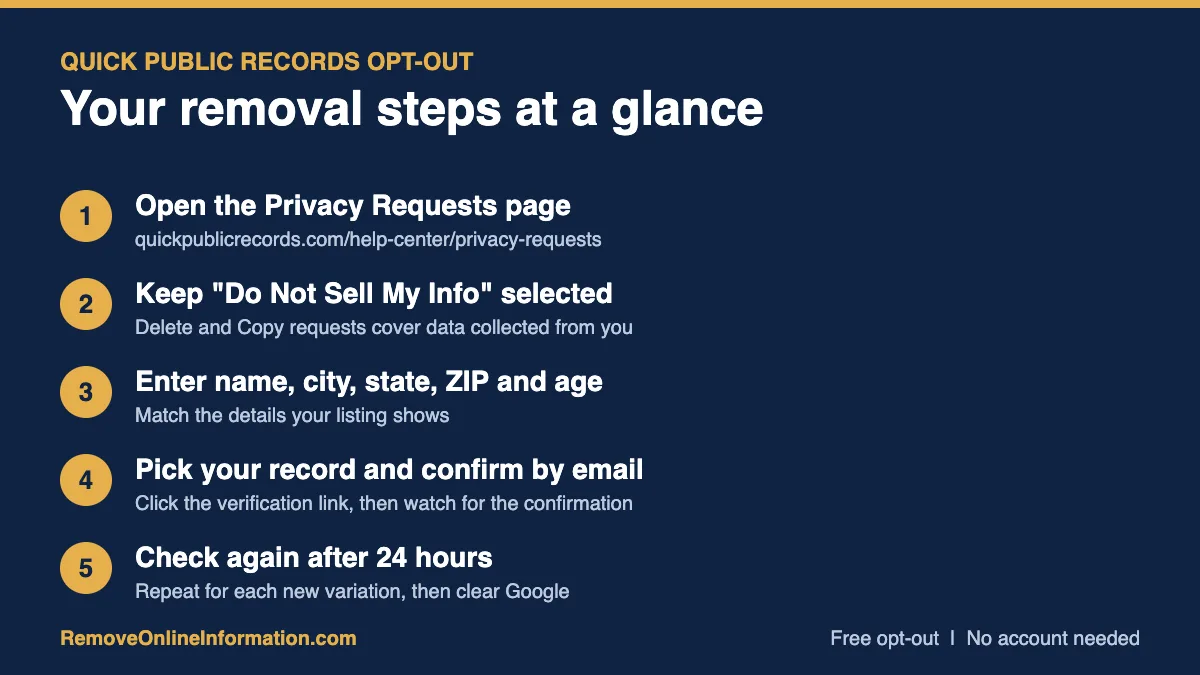
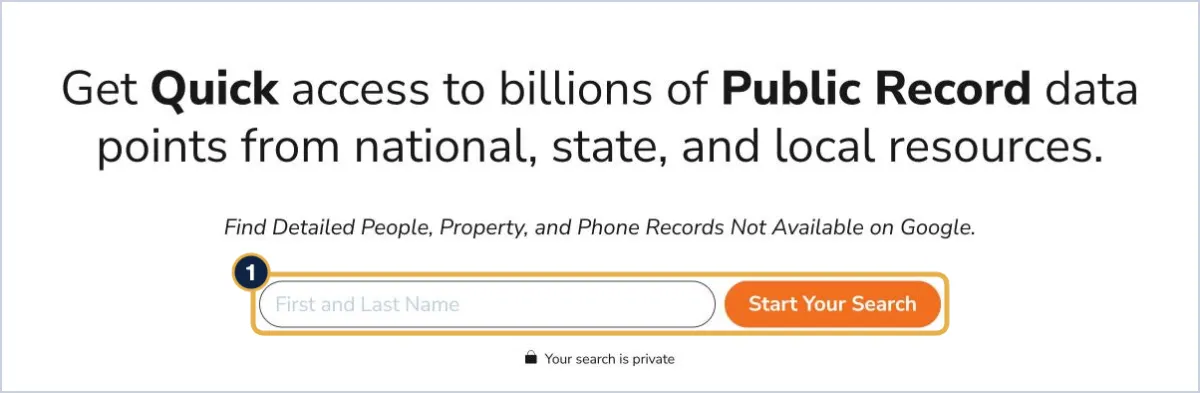
- Find out how you are listedGo to the Quick Public Records homepage and type your first and last name into the search bar. Note every version of you that appears: different cities you have lived in, a maiden name, a middle initial, or a nickname. You will need to match these details on the opt-out form, and each version is a separate record.
- Open the Privacy Requests pageScroll to the footer of any Quick Public Records page and click Do Not Sell My Personal Information, or go straight to quickpublicrecords.com/help-center/privacy-requests.
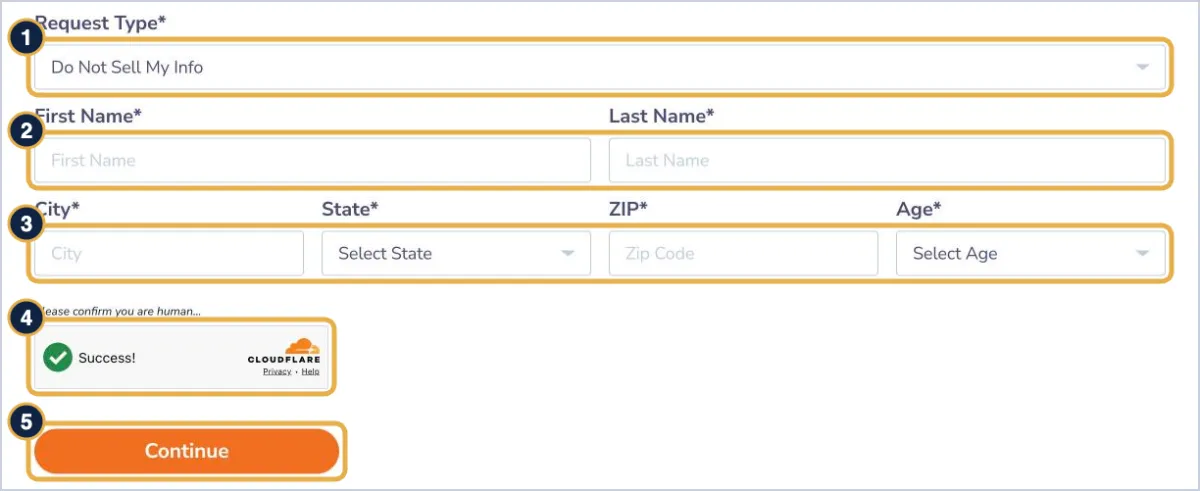
- Keep Do Not Sell My Info selectedThe Request Type menu offers Do Not Sell My Info, Delete My Info and Request a Copy. The site’s own instructions describe Do Not Sell My Info as the route that removes you from its people reports. Delete My Info and Request a Copy are privacy-law requests about the personal information the company collects; use them in addition if you are a customer or want to see what it holds.
- Enter the details that match your listingFill in first name, last name, city, state, ZIP and age. Use the city and age shown on the listing you found in step 1, not necessarily where you live today. If you are not sure of the city, the state menu includes an All States option.
- Pass the human check and click ContinueA Cloudflare check appears under the form. Once it shows Success, click Continue to search the opt-out database.
- Select your record and give your emailPick the record that matches you from the results. The site will send a verification email to the address you provide, so use an inbox you can open right away. A separate email you use only for privacy requests keeps your main address out of yet another database.
- Click the verification linkOpen the email from Quick Public Records and click the link to confirm. The request is not finished until you do this. Check spam and promotions folders if nothing arrives within a few minutes.
- Watch for the confirmation emailQuick Public Records says it emails you again once the opt-out has been processed. Save that email; it is your proof of the request if the record comes back.
- Repeat for every other version of youGo back to the form and run it again for each other city, age or name variation you noted in step 1. One request covers one selected record.
- Recheck after 24 hours, then clear search enginesSearch your name on Quick Public Records again after at least a day, using a private window or after clearing your cache. If it is gone, follow the Google steps further down this page.
Stuck at any step? Ask us for a free removal assessment or call (855) 581-5827.
What to say if you need to contact Quick Public Records
The standard form has no reason or comment box, and you do not need to give a reason for a Do Not Sell request. You only need to write to the company in a few situations. Here is what to cover in each.
The record is still showing after you were confirmed
The help center asks you to call support at 1-833-202-2626 if your record is still visible after the database update. Have your confirmation email open, and give the exact name, city and age shown on the listing so the agent can find the same record.
You are a judge, prosecutor or officer covered by Daniel’s Law
Quick Public Records says Covered Persons under Daniel’s Law (current, former or retired judges, prosecutors and law enforcement officers, plus immediate family in the same household) can contact the company for help instead of using the automated form. State that you are a Covered Person and list each address and name variation you want suppressed.
You are filing for someone else
An authorized agent, such as a family member or a removal service, can submit the form if they also send either a letter signed by the person authorizing the request or a valid power of attorney. Keep the letter short: the person’s full name, the addresses on the listing, the agent’s name, and a clear statement that the agent may request opt-out and deletion on their behalf.
Sample message to Quick Public Records support
Hello, I submitted a Do Not Sell My Info opt-out and received your confirmation email on [date]. A record for [full name], age [age], in [city, state] still appears in your search results after more than 24 hours. Please suppress this record and any other records that match my name and the addresses [list addresses]. I am not a customer and have not authorized the sale or display of this information. Please confirm by email once this is done. Thank you, [name].
Opt-out vs. deletion vs. sealing vs. suppression
People often use these words interchangeably, but they do very different things. Knowing which one you are getting from Quick Public Records helps you decide what else to do.
| Option | What it changes | Who does it | What it means for you |
|---|---|---|---|
| Quick Public Records opt-out (Do Not Sell My Info) | Hides your selected record from the site’s people search results | You, through the Privacy Requests form | Fast and free, but only covers this one site and the specific records you select |
| Delete My Info request | Asks the company to delete personal information it has collected about you, subject to privacy law exceptions | You or an authorized agent | Useful if you were ever a customer; the site notes some requests depend on where you live and on verifying your identity |
| Search engine de-indexing | Removes or refreshes a page in Google or Bing results; the page itself may still exist | You, through Google and Bing tools | Cleans up stale snippets after the source page is gone |
| Record sealing or expungement | Changes the official court record | A court, after a petition | The only way to change the underlying criminal record; data sites then follow over time |
| Suppression (reputation management) | Pushes other, accurate content above unwanted results | You or a reputation firm | Helps when a result cannot be removed, but nothing is deleted |
For most people on Quick Public Records, the opt-out plus a Google refresh is enough. If the problem is a criminal or court entry in the report, the opt-out hides it here, but the same entry will keep appearing on other sites until the source is dealt with. Our sister resource Remove Court Records explains how court record and case-law sites handle removal.
Removing Quick Public Records results from Google
Quick Public Records markets its data as records not available on Google, and its people reports are reached through a search form rather than open profile pages, so you may never see a Quick Public Records page in Google results for your name. The site does not publish whether individual profile pages are indexed. To check, search Google for site:quickpublicrecords.com “your full name”. If nothing comes back, there is nothing to clear in Google for this site.
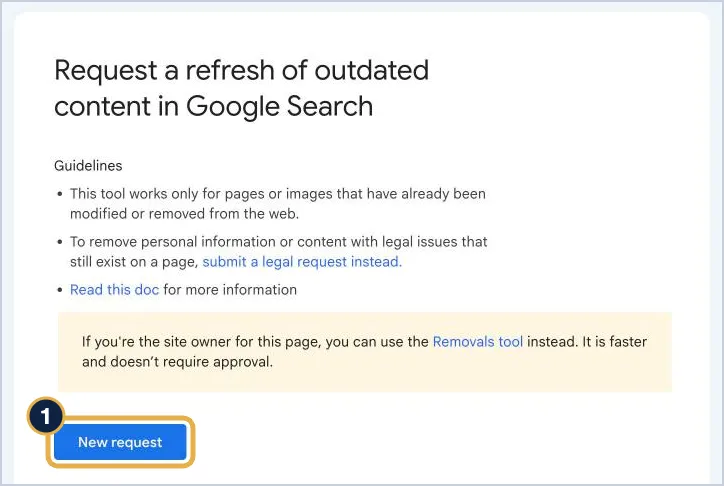
If a Quick Public Records URL does show up, wait until the opt-out confirmation arrives and the page no longer shows your data, then submit the URL to Google’s Refresh Outdated Content tool. Google re-checks the page and updates or drops the snippet. Bing has a similar Content Removal tool. For results that still show your phone number, home address or email on any live page, Google’s personal information removal request is the better route.
What about AI answers and chatbots?
AI assistants such as ChatGPT, Gemini, Perplexity and Google’s AI Overviews summarize what they can find on the open web. Quick Public Records reports sit behind a search form and a paywall, so they are less likely to be quoted directly than free profile pages on other brokers. The bigger risk is that the same facts appear on free people-search sites that do get crawled.
Quick Public Records does not mention AI tools or crawlers in the privacy materials we reviewed. The practical approach is the same as for Google:
- Remove the source listings first, starting with free sites that show full profiles
- Request a Google refresh so AI Overviews stop drawing on old snippets
- Use the feedback or report option in the AI tool if an answer still shows your address or phone number
- Re-ask the same question a few weeks later; answers update as the web does
If your details are spread across many brokers, our background check site removal hub lists the sites that most often feed these answers.
How long Quick Public Records removal takes
Quick Public Records is one of the few sites that publishes a target. Its help center says your record is removed the next time its database updates after you get the confirmation email, and that most of the time this takes about 24 hours. Everything else below is outside the site’s control.
| Stage | Typical time | Source |
|---|---|---|
| Verification email arrives | Usually within minutes | Typical; check spam if it does not |
| Confirmation that the opt-out was processed | Not published; sent after you click the verification link | Quick Public Records |
| Record disappears from Quick Public Records search | Next database update, usually about 24 hours | Quick Public Records (stated) |
| Old snippet leaves Google after a refresh request | Often a few days to a few weeks | Typical; Google sets its own pace |
| Same data removed from other brokers | Varies by site; each needs its own request | Each site’s own policy |
| New variation of your record appears | Unpredictable; depends on new data from partners | Quick Public Records (says it can happen) |
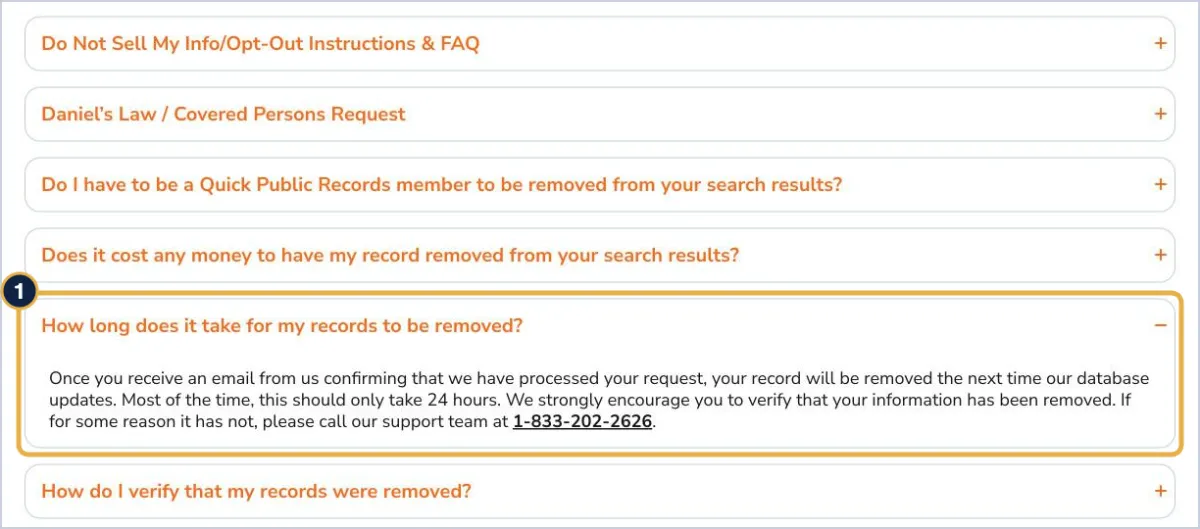
The site suggests waiting at least 24 hours after the confirmation before checking, and clearing your browser cache or using a private window so you are not looking at a stored copy of the old results.
If your record is still there
Quick Public Records does not describe a denial process, because the Do Not Sell opt-out is automated. When people say their removal failed, it is almost always one of these:
- The verification link was never clicked. Without it, nothing is filed. Search your inbox for Quick Public Records and click the link, or submit again.
- A different record is showing. You removed the listing for one city or age, and another version with a different address or initial is still there. Run the form again for that record.
- Cached results. Clear your browser cache or use a private window before checking.
- The database has not updated yet. Give it a full day after the confirmation email.
If none of these apply, call 1-833-202-2626, the support number Quick Public Records lists for removals that did not take, and have your confirmation email ready.
Why removals stall or come back
The site is candid that suppression is not permanent in every case. It regularly refreshes its search results from public sources, and its data partners can send new data different enough from what you removed, such as another spelling, initials or address, that it cannot be matched to your earlier request. The fix it offers is simply to repeat the opt-out for the new record.
To keep that from turning into a chore:
- Save every confirmation email in one folder
- Set a reminder to search your name on the site every three months
- Opt out of the brokers that sell similar data, starting with Public Data Check, TruthFinder, Instant Checkmate and Spokeo
- Use one dedicated email for all opt-outs so verification links never get lost
If you would rather have ongoing monitoring across dozens of brokers, Defamation Defenders offers a personal information removal and monitoring service. Rather not keep checking this site yourself? We monitor and re-remove records that come back. Get a free removal assessment and a firm quote before any work begins.
Do it yourself or have RemoveOnlineInformation.com handle it?

The Quick Public Records opt-out is one of the easier ones: free, no ID, no account. Most people can finish it on their own. The work gets heavier when you have several name variations, a criminal or court entry that keeps resurfacing, or the same data on dozens of other sites.
| Do it yourself | RemoveOnlineInformation.com | |
|---|---|---|
| Cost | Free | Free, confidential assessment and a firm quote before any work |
| Quick Public Records opt-out | About 10 minutes per record | Handled for you, including every name and address variation |
| Related brokers | One form at a time, each with its own rules | Can be covered in the same quote |
| Google and Bing cleanup | You file the refresh requests | Can be included in your quote |
| Court or criminal entries | Requires separate research into the source | Assessed with you, with options explained up front |
| Rechecks for new records | Your own reminders | Ongoing monitoring included, and we re-remove any record that comes back |
Want it off your plate? Tell us what shows up for your name and we will review it at no cost.
or call (855) 581-5827
Quick Public Records removal FAQ
Want Quick Public Records and the rest handled for you?
Tell us where your name shows up. We will review Quick Public Records, the brokers that share its data, and your Google results, then give you a free, confidential assessment and a firm quote before any work begins. Ongoing monitoring and re-removal are included if a record comes back.
RemoveOnlineInformation.com is not a law firm and this page is not legal advice. We are not affiliated with Quick Public Records or Scalable Commerce LLC, and we do not alter official government or court records. Quick Public Records policies described here are as of November 2026 and may change; check the site’s Privacy Requests page for the current process.